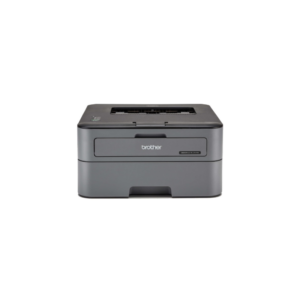
The Brother monochrome laser printer is a no-nonsense machine built for people who care about efficiency over fancy features. It’s strictly a print-only device, which already tells you this isn’t for casual users who want scanning and copying—it’s for consistent, high-volume document printing. With a speed of up to 30 pages per minute and a quick first print time of around 8.5 seconds, it’s clearly designed to keep up in small offices or serious home setups where waiting around is not acceptable. The 2400 x 600 dpi resolution ensures sharp, clean text output, which is exactly what you want from a laser printer—don’t expect photo-quality prints because that’s not its job.
The 250-sheet input tray and automatic duplex printing make it practical for bulk work, cutting down manual effort and paper usage. Connectivity is straightforward with USB and wireless support, plus mobile printing through apps like Brother iPrint&Scan, so you’re not stuck printing only from a desktop. However, the lack of an automatic document feeder and touchscreen shows where corners are cut—it’s functional, not premium. The included toner yields around 2,600 pages, which is decent, but like any laser printer, long-term cost depends on how often you replace toner, not the printer itself.
Bottom line: this is a workhorse, not a luxury gadget. If your need is fast, reliable black-and-white printing with minimal fuss, it does exactly that. If you’re expecting an all-in-one device or color output, you’re looking at the wrong machine.
Brother HL-L2321D Monochrome Laser Printer
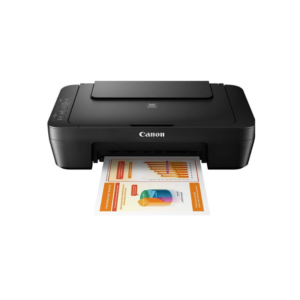
 The Canon PIXMA MG2570s is a basic, no-frills inkjet printer built for people who just need occasional printing without spending much. It handles print, scan, and copy functions, but everything about it is clearly entry-level—USB-only connectivity means no wireless convenience, so you’re tied to a computer. Print speeds are slow at around 8 ppm for black and 4 ppm for color, which is fine for a few pages but frustrating if you print regularly. The 4800 × 600 dpi resolution gives decent output quality for documents and light photo use, but don’t expect anything professional. It supports common paper sizes like A4 and envelopes, but lacks duplex printing, so double-sided work becomes manual and annoying. Ink usage is another limitation—the standard cartridges offer low page yields, meaning frequent replacements and higher long-term cost if you print often. Bottom line: this printer makes sense only if your usage is very light—like students or occasional home use—but if you need speed, wireless features, or cost efficiency over time, this is not a smart choice.
Canon MG2570S Multi-function Inkjet Colour Printer
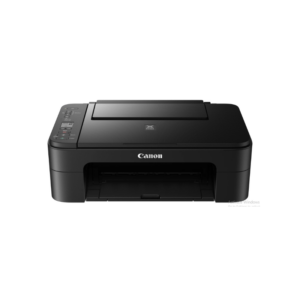
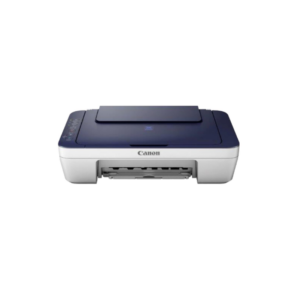 The Canon PIXMA E3370 is a budget-friendly all-in-one inkjet printer designed mainly for home users who want convenience over performance. It supports printing, scanning, and copying, and unlike basic models, it adds Wi-Fi connectivity so you’re not stuck using a USB cable—you can print directly from your phone or cloud services like Google Drive or Dropbox through PIXMA Cloud Link. Print quality is solid for the price, with a resolution of 4800 × 1200 dpi, but speed is clearly not its strength at around 8 ipm for black and 4 ipm for color, so don’t expect fast output if you print frequently. The 60-sheet tray and lack of auto duplex printing also show it’s built for light workloads, not heavy use. Ink cartridges are relatively affordable and give around 400 pages, which is decent for occasional printing but still not the most cost-efficient long term. Overall, this printer makes sense if your usage is casual—documents, assignments, or occasional photos—but if you’re printing daily or in bulk, this will slow you down and cost you more over time than a higher-end or tank-based printer.
Canon PIXMA E477 All-in-One Wireless Ink Efficient Colour Printer
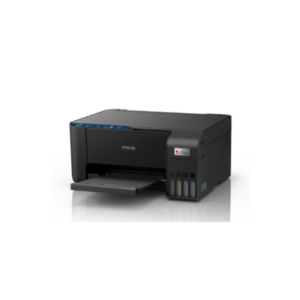 This Epson all-in-one printer is built for home users and small businesses who want reliable, high-quality color printing without spending too much on ink. It supports both printing and scanning, using Epson’s Micro Piezo technology to deliver sharp outputs with a high resolution of 5760 × 1440 DPI, making it especially good for photos and detailed documents. The printer allows borderless photo printing up to 4R size and comes with integrated ink tanks that can produce up to 6500 color pages, which significantly reduces long-term printing costs. It offers wireless connectivity options including Wi-Fi, USB, and Wi-Fi Direct, so you can easily print directly from smartphones using the Epson Smart Panel app without needing a computer. Although it doesn’t have automatic duplex printing and has a smaller input capacity of 20 photo sheets, it compensates with decent performance, delivering up to 33 ppm for monochrome prints and basic color printing speeds suitable for everyday tasks. Its compact design, flatbed scanner with 1200 × 2400 DPI resolution, and simple setup make it a practical choice for users who need an efficient, low-maintenance printer for regular home or light office use.
Epson EcoTank L3252 All-in-One Ink Tank Printer
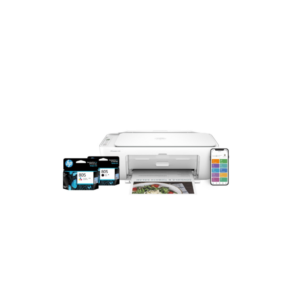 The HP DeskJet 2820 is a compact all-in-one inkjet printer designed for basic home and small office use, combining printing, scanning, and copying in a simple, clean white design that fits easily into any workspace. It supports wireless connectivity through Wi-Fi and Bluetooth, along with USB, making it flexible to use from laptops, smartphones, or tablets via HP’s smart app for quick setup and smooth operation. The printer delivers standard everyday performance with print speeds of around 7.5 pages per minute for black and 5.5 pages per minute for color, which is fine for light workloads but not ideal if you’re printing in bulk. It also comes with cloud support, allowing you to print directly from online services. Overall, this model is built for convenience and ease of use rather than speed or heavy-duty performance, making it suitable for students or casual users who need occasional printing without complexity.
HP DeskJet 2820 All-in-One Printer
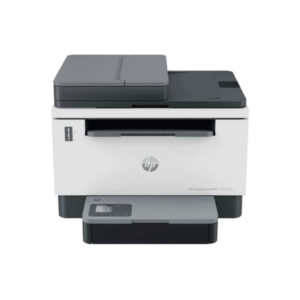
The HP Laser Tank MFP 2606sdw is a serious upgrade over basic inkjet printers, built for people who actually print regularly and care about long-term efficiency. It’s a monochrome laser all-in-one, so it handles printing, scanning, and copying, but only in black and white—if you need color, this isn’t even an option. Where it stands out is cost per page. The cartridge-free laser tank system delivers around 5000 pages per refill, which is significantly cheaper over time compared to traditional cartridge printers that drain your wallet slowly.
Performance is solid and consistent. With speeds around 22 pages per minute and a fast first print time of about 8 seconds, it doesn’t waste your time like entry-level inkjets. Automatic duplex printing and a 250-sheet tray mean you can handle bulk jobs without constant manual effort, and the ADF (automatic document feeder) is actually useful if you scan or copy multi-page documents often. Wireless connectivity with dual-band Wi-Fi and the HP Smart app keeps things flexible, especially in shared or work-from-home setups.
Now the reality check: print resolution is just 600 × 600 dpi, which is fine for text but nothing special—this is built for documents, not design work. It’s also physically larger and heavier than typical home printers, so it needs proper space. And again, no color output—so don’t expect versatility beyond document-heavy tasks.
Bottom line: this is a workhorse for productivity. If you print frequently—assignments, office files, reports—this is a smart investment that saves money long term. If your usage is occasional or you need color prints, this is overkill and the wrong tool entirely.
HP Laserjet Tank 2606sdw
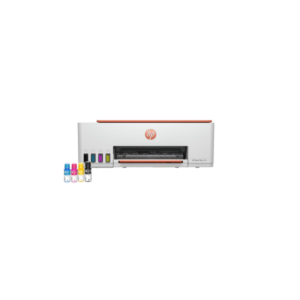
This HP Smart Tank all-in-one printer is designed for users who want affordable long-term printing without sacrificing wireless convenience. It handles printing, scanning, and copying in a compact design that fits easily into small homes or office setups, which is useful if space is limited. The ink tank system is the main selling point here—it delivers up to around 6000 color pages, making it far more economical over time than traditional cartridge-based printers. Print quality is solid with resolutions up to 4800 × 1200 dpi for color, so documents and photos come out sharp and vibrant enough for everyday use. Wireless support through Wi-Fi and Apple AirPrint allows direct printing from smartphones and tablets, while USB remains available for wired connections.
Performance is decent but not fast. Realistically, you’re getting around 12 ppm for black and 5 ppm for color, which is fine for home users but not ideal for heavy office workloads. The 100-sheet input tray and flatbed scanner are practical, though the lack of automatic duplex printing is a noticeable drawback if you print double-sided documents regularly. HP also includes automatic power-saving features, which help reduce electricity usage during idle periods.
Overall, this printer is a good fit for students, families, startups, or small offices that print frequently and want lower running costs. But if your workload is high-volume and speed matters more than ink savings, you’ll eventually feel its limitations.
HP Smart Tank 589 All-in-One WiFi Colour Printer
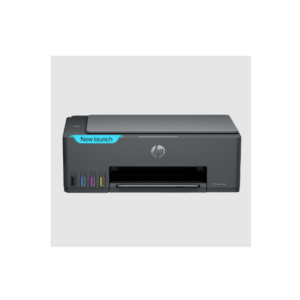
The HP Smart Tank 584 is built for people who print regularly and want to avoid the constant expense of cartridges. It’s an all-in-one ink tank printer, so you get print, scan, and copy functions along with much better long-term cost efficiency compared to typical inkjet models. The real advantage here is the high page yield—up to around 4000 black and 6000 color prints—which makes a noticeable difference if you’re printing weekly or in bulk. Print quality is strong for everyday use, with sharp text and vibrant colors thanks to its high resolution, making it suitable for documents, school work, and even occasional photo printing.
That said, don’t get fooled by the “high speed” claim. In real usage, it’s closer to around 12 pages per minute for black and 5 pages per minute for color, which is average at best. This is not a fast office printer—it’s a cost-efficient one. The 100-sheet input tray is decent, but the lack of automatic duplex printing means you’ll have to flip pages manually, which gets annoying if you print a lot of double-sided documents. Connectivity is solid with Wi-Fi, USB, and mobile printing via AirPrint and HP apps, so day-to-day usage is convenient across devices.
Bottom line: this printer is about saving money over time, not speed or premium features. If you print frequently—assignments, notes, office documents—it’s a smart buy. If your usage is occasional, you’re better off with a cheaper basic printer because you won’t fully benefit from the ink tank advantage.
HP Smart Tank All-in-One Printer
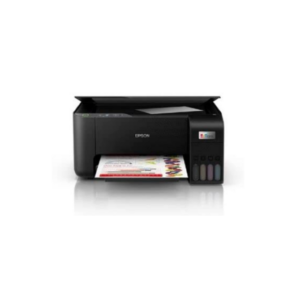
The Epson EcoTank L3250 is one of the more practical all-in-one printers for people who print regularly and actually care about long-term running costs. It handles printing, scanning, and copying while using Epson’s EcoTank system instead of traditional cartridges, which is the biggest advantage here. The included ink can produce up to around 8100 black pages and 7500 color pages, making it dramatically cheaper per page compared to cartridge printers that constantly need replacements. That alone makes this printer far more sensible for students, home offices, or small businesses with consistent printing needs.
Print quality is excellent for the price, with a high resolution of 5760 × 1440 dpi, so text looks sharp and photos come out surprisingly detailed, including borderless prints up to 4R size. Speeds are also better than most entry-level ink tank printers, reaching around 33 ppm for black and 15 ppm for color under ideal conditions. Wireless connectivity through Wi-Fi and Wi-Fi Direct makes printing from phones and tablets easy using the Epson Smart Panel app, which is genuinely useful rather than just marketing fluff.
Now the downsides: there’s no automatic duplex printing, so double-sided printing is manual and inconvenient if you deal with large documents often. There’s also no touchscreen or automatic document feeder, meaning this printer focuses more on reliability and cost efficiency than premium convenience features.
Bottom line: this is a strong value-for-money printer if your priority is low printing cost, solid print quality, and reliable everyday performance. If you print only occasionally, you probably won’t benefit enough from the EcoTank system to justify spending more upfront.
Printer Epson EcoTank L3250 A4 Wi Fi All in One Ink Tank