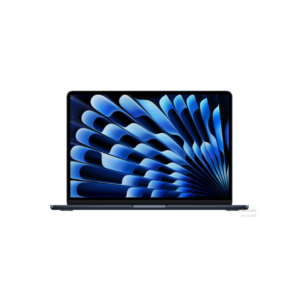
The Apple MacBook Air M4 is basically built for people who want a lightweight premium laptop that feels fast all the time without carrying around a heavy workstation. The biggest strength here is not raw benchmark numbers — it’s efficiency. The M4 chip delivers strong performance while keeping the laptop fanless, silent, cool, and power-efficient. That combination is why the MacBook Air dominates the premium ultrabook category despite having fewer ports and less upgrade flexibility than many Windows laptops.
The 13.6-inch Liquid Retina display is sharp, color-accurate, and bright enough for content work, entertainment, and long daily usage. The aluminum build quality is still ahead of most Windows laptops in this weight category, and at only 1.24 kg, portability is one of its strongest selling points. Battery life is another major advantage. Realistically, for web browsing, meetings, writing, content management, social media work, and moderate editing, this machine can comfortably last an entire workday without needing constant charging.
Performance-wise, the M4 chip is extremely efficient for multitasking, video editing, content creation, coding, student work, and productivity tasks. Features like hardware ray tracing, AV1 decoding, ProRes engines, and the 16-core Neural Engine make it much more future-ready for AI-assisted workflows and creative applications than older Air models. Even though it’s called an “Air,” it’s now powerful enough for fairly serious workloads like 4K video editing, Photoshop, light motion graphics, and running multiple heavy apps simultaneously.
But there are important realities buyers ignore because of Apple marketing. The base 256GB SSD is restrictive in 2026 if you work with videos, large files, or creative assets. Apple charges aggressively for RAM and storage upgrades, and since memory is unified and non-upgradable, buying the wrong configuration becomes an expensive mistake later. Also, the 60Hz display is still disappointing at this price when many cheaper laptops offer higher refresh rates.
Another thing people misunderstand: the Air is powerful, but it is not designed for sustained heavy rendering or high-end gaming sessions like a MacBook Pro. Since it has no fan, thermal throttling will happen under prolonged heavy loads. For normal users that’s irrelevant, but for professional 3D rendering, advanced motion graphics, or nonstop export workloads, the Pro models still make more sense.
For students, social media managers, office professionals, creators, and users who value portability, battery life, silent operation, and long-term smoothness, this is one of the best balanced premium laptops available right now. But if someone buys it mainly for gaming, upgrade flexibility, or maximum performance-per-rupee, they’re paying heavily for ecosystem and design rather than pure hardware value.
13-inch MacBook Air Apple M4 chip with 10-core CPU and 10-core GPU
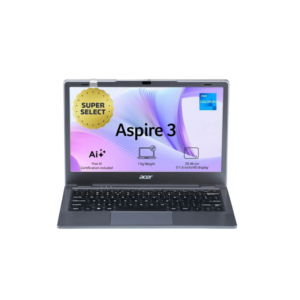

The Acer Thin and Light Laptop is an ultra-budget lightweight laptop designed mainly for basic everyday tasks, not serious performance work. Looking at the specifications honestly, this machine is built for web browsing, online classes, Microsoft Office work, YouTube, email usage, and light productivity — nothing beyond that. A lot of sellers market these kinds of laptops as “fast SSD laptops,” but the SSD alone does not magically make weak hardware powerful.
The 11.6-inch display and 1 kg weight make it extremely portable, which is probably its biggest advantage. It’s easy to carry around for students, travel usage, or simple office tasks. The Windows 11 Home OS gives access to regular desktop software, and the NVMe SSD will make boot times and app launches feel reasonably quick compared to old HDD laptops. Wi-Fi, Bluetooth, HDMI, and multiple USB ports also make it practical for basic connectivity needs.
But the limitations are very clear. The processor clock speed of 1.10 GHz with 2.8 GHz turbo strongly suggests this is a low-end Intel processor designed for power efficiency, not performance. Combined with integrated graphics and a small 11.6-inch 1366×768 TFT display, this is not a laptop for video editing, gaming, multitasking with heavy applications, or advanced creative work. Even opening many Chrome tabs alongside Zoom calls can push systems like this to their limits depending on the exact processor and RAM configuration.
The 480p webcam is also poor by modern standards. Video calls will look noticeably soft and low quality compared to even mid-range laptops today. The display resolution is another weak point because 1366×768 on Windows in 2026 feels outdated, especially for productivity work where screen space matters.
This kind of laptop only makes sense if the priority is low cost, portability, battery efficiency, and extremely light usage. For students doing assignments, browsing, online meetings, or office documents, it’s acceptable. But if someone expects smooth multitasking, editing, gaming, coding, or long-term future-proof performance, this hardware will feel slow very quickly.
Acer Aspire 3 Intel Celeron N4500 Laptop
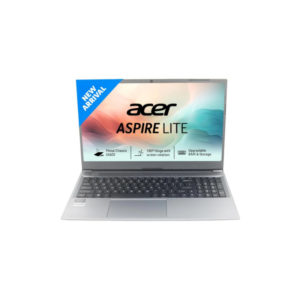
The Acer Windows Laptop is positioned as a mainstream everyday-use laptop that balances portability, decent performance, and affordability without trying to compete in the premium ultrabook or gaming category. Unlike ultra-budget mini laptops with weak processors and low-resolution displays, this configuration is actually practical for regular work, studies, multitasking, and moderate productivity usage.
The 15.6-inch Full HD display is one of the most important advantages here because 1920×1080 resolution is the real minimum standard for comfortable productivity today. It gives significantly better clarity, workspace, and viewing comfort compared to outdated 1366×768 panels. The larger screen size also makes multitasking, spreadsheets, content consumption, and online meetings much easier.
The SSD storage options up to 1TB are good for responsiveness and faster boot times, and having 8GB or 16GB RAM options makes a major difference depending on usage. The 8GB variant is enough for office work, browsing, streaming, and student tasks, while the 16GB version is the smarter long-term choice if you multitask heavily or use creative software. USB-C and HDMI ports improve practicality because many cheaper laptops still lack proper modern connectivity.
Now the important reality: “Intel dual-core” matters a lot here because not all Intel processors are equal. A modern high-efficiency dual-core chip can still handle regular tasks smoothly, but it won’t compete with newer quad-core or higher-end processors for demanding workloads. So while this laptop is suitable for office work, coding, presentations, content management, online classes, and moderate multitasking, it is not built for heavy gaming, advanced video editing, 3D rendering, or intensive professional creative workloads.
The 1.59 kg weight is fairly portable for a 15.6-inch machine, though not ultralight. It’s practical for college students, office users, remote workers, and general home usage without feeling bulky.
Overall, this category makes sense for users who want a dependable everyday Windows laptop with a proper Full HD screen, SSD speed, and enough RAM for real multitasking — without paying premium ultrabook prices. But buyers should focus heavily on the exact Intel processor generation before purchasing, because that will determine whether the laptop feels smooth for years or becomes slow after basic multitasking increases.
Acer Aspire Lite Intel Core I3 13th Gen 1305u

 Durable and stylish silver laptop featuring an anti-glare screen and long-lasting battery, ideal for travel and outdoor workspace environments.
All-Day Battery Life 14″ Portable Laptop
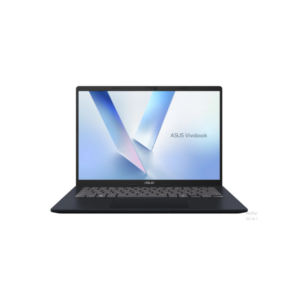
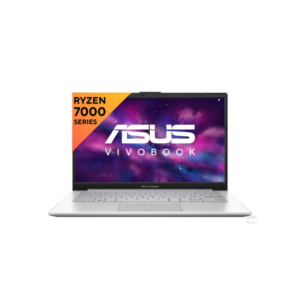
The ASUS Vivobook 14 (M1407) is a practical mid-range Windows laptop for everyday productivity, multitasking, content consumption, office work, browsing, and light creative tasks. The biggest advantage here is balance — you’re getting a modern AMD Ryzen processor, 16GB RAM, 512GB SSD, and a 1920×1200 display in a lightweight body around 1.5 kg, which is actually solid value if priced correctly. The 16GB RAM matters because most cheaper laptops still cripple users with 8GB, which becomes annoying fast with Chrome tabs, editing tools, Canva, light video work, or multitasking.
But don’t confuse this with a performance or premium machine. It’s not competing with the Apple MacBook Air with M4 chip in battery efficiency, build quality, display quality, speaker quality, thermal optimization, or long-term smoothness. The MacBook Air is on another level technically, especially for creators, video editors, and people deep inside the Apple ecosystem. The ASUS is more of a “good enough for most people” laptop.
The weak point with many Vivobook models is usually build consistency, average speakers, average webcam quality, and battery life that looks good on paper but drops faster under real-world heavy use. Also, Ryzen integrated graphics are decent for casual editing and light gaming, but don’t expect serious gaming or heavy 4K editing performance.
If your use case is social media management, Canva, browser-heavy work, content scheduling, Zoom calls, Google Sheets, light Photoshop, and portability without overspending, this ASUS makes more financial sense than buying a MacBook just for brand value. But if you want a laptop that still feels ultra-fast, silent, premium, and reliable even after 5–6 years, the MacBook Air is objectively stronger.
ASUS Vivobook 14 2025 Office 2024 + M365 Basic Amd Ryzen Ai 5 Quad Core
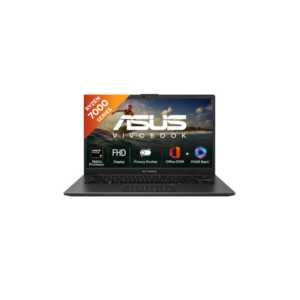
The ASUS Vivobook 14 shown here is a well-balanced entry-to-mid-range Windows laptop built mainly for students, office users, remote workers, and general home productivity. Compared to cheap low-end laptops, this configuration is actually sensible because it combines a modern Ryzen quad-core processor, fast LPDDR5 memory, 512GB NVMe SSD storage, Wi-Fi 6E, fingerprint security, and a lightweight 1.38 kg body. For normal everyday usage, that combination is enough to feel responsive and modern.
The Ryzen processor with 4 cores and 8 threads is perfectly capable for multitasking, Chrome-heavy work, Microsoft Office, content scheduling, Zoom calls, streaming, Canva, light Photoshop work, and daily productivity. The SSD will make boot times and app launches fast, and Wi-Fi 6E support is surprisingly good for this segment because many laptops in this price range still use older wireless standards.
The laptop also includes genuinely useful practical features rather than useless marketing gimmicks. The webcam privacy shutter is good for security, the fingerprint sensor adds convenient login protection, and the backlit keyboard helps during night usage. AI noise cancellation is useful for meetings and calls, especially for remote work environments. MIL-STD-810H durability certification also gives slightly better confidence for daily handling compared to ultra-cheap fragile laptops.
But there are clear compromises, and buyers should understand them honestly. The display is only average. Yes, it’s Full HD IPS and anti-glare, which is good, but 250 nits brightness and 45% NTSC color coverage are mediocre by modern standards. For movies, office work, browsing, and YouTube it’s fine, but for professional color-sensitive editing or premium visual quality, it’s nowhere near higher-end OLED or MacBook displays.
The biggest limitation is the RAM situation. Even though LPDDR5 is fast, this model appears capped at 8GB onboard memory, which is soldered and not realistically upgradeable. In 2026, 8GB on Windows is becoming restrictive for heavy multitasking. If you keep many Chrome tabs open alongside Photoshop, video calls, Spotify, Canva, and editing tools, memory pressure will happen. That’s the main weakness of this configuration long term.
Battery life around 6 hours real-world is decent but not exceptional. Don’t expect MacBook-level endurance. The plastic body also keeps costs lower, but it won’t feel premium like aluminum ultrabooks.
Overall, this is a smart practical laptop for normal productivity users who want portability, modern connectivity, SSD speed, and reliable day-to-day performance without overspending. But if long-term future-proof multitasking matters, the 8GB soldered RAM is the biggest concern here and the one thing that could age badly first.
ASUS Vivobook Go 14
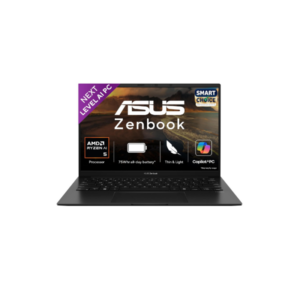 The ASUS laptop comes with Windows OS and is powered by an AMD processor with integrated AMD graphics, making it suitable for everyday multitasking, office work, browsing, streaming, and light creative tasks. It features a 14-inch display with a smooth 120Hz refresh rate, which makes scrolling and animations feel noticeably more fluid compared to standard 60Hz laptops. With 16GB RAM and a 512GB SSD, the laptop offers fast performance, quick boot times, and enough storage for regular use. Its lightweight and portable design also makes it convenient for students, professionals, and users who need a balance between productivity and entertainment.
ASUS Zenbook 14 Smartchoice AMD Ryzen AI 5 340
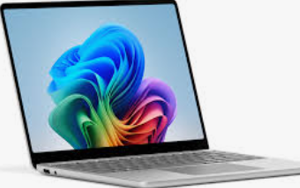
 Ultra-portable silver laptop with a bright widescreen display and comfortable keyboard, designed for fast web browsing and cloud-based productivity.
Compact 13″ Lightweight Cloud Computing Laptop
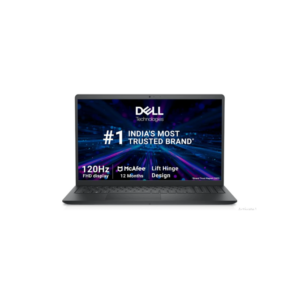
The Windows 11 Pro Business Laptop is clearly aimed at business users, students, office professionals, and people who want a work-focused machine with better practicality than flashy consumer laptops. Compared to ultra-budget laptops, this configuration is significantly stronger because you’re getting a 10-core Intel processor, dedicated 2GB graphics memory, upgradeable RAM, Windows 11 Pro, enterprise security features, and a higher refresh rate display.
The biggest strength here is balance between productivity and expandability. Unlike many thin ultrabooks with soldered memory, this laptop has two RAM slots with one empty slot available, which matters a lot long term. Starting with 8GB is acceptable, but upgrading to 16GB later is easy and highly recommended. That alone makes it more future-proof than many modern budget laptops that permanently lock users into low memory configurations.
The Intel processor with 10 cores and 12 threads is strong enough for serious multitasking, office work, coding, browser-heavy workflows, moderate creative work, virtual meetings, data analysis, and even light editing. The dedicated 2GB graphics memory helps slightly with creative applications and smoother visuals compared to purely integrated graphics, though this is not a gaming GPU. People often misunderstand dedicated VRAM and assume gaming performance — that’s not the case here.
The 120Hz Full HD display is another advantage because smoother scrolling and animations genuinely improve everyday usability. However, the display quality itself is still average because the brightness is only 220 nits and color coverage is limited to 45% NTSC. So while motion feels smoother, color accuracy and outdoor visibility are mediocre.
This laptop also focuses heavily on business practicality. Features like fingerprint security, SmartCard reader, IR webcam, Ethernet port, SD card reader, AI noise cancellation, Windows 11 Pro, and MIL-STD durability certification are all business-oriented additions that regular consumer laptops often skip. The inclusion of multiple ports is honestly refreshing in a market obsessed with removing everything.
Now the weak points. The plastic build means it won’t feel premium despite decent durability. Battery life is decent but not exceptional for this category. The 720p webcam is still outdated in 2026. Also, the mention of “Mobile Intel PM45 Express” chipset looks inconsistent or possibly incorrect because PM45 is an extremely old chipset name — likely a listing error. That’s why buyers should always verify the exact CPU model instead of trusting generic spec sheets blindly.
Overall, this is a much smarter purchase for productivity-focused users than flashy cheap gaming laptops with weak thermals and poor battery life. It’s built more like a dependable work machine than an entertainment device. But for creators needing high-end displays, gamers, or people wanting premium aluminum ultrabook quality, this still sits firmly in the practical mid-range business category rather than premium territory.
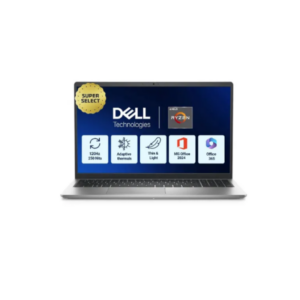
Dell 15 Amd Ryzen 3
 You’ve pasted specifications for completely different product categories like laptops, printers, dishwashers, microwaves, OTGs, UPS systems, and inverters, but without a specific question or comparison target, there’s no meaningful way to tell you which one is “best.” A lot of people make the mistake of comparing products only based on specs or brand names without thinking about the actual use case, and that usually leads to wasting money on features they never use. Some of the products you shared are genuinely good value for long-term usage, while others look attractive on paper but become frustrating because of poor performance, expensive maintenance, weak hardware, or unnecessary premium pricing. For example, a cheap cartridge printer may seem affordable initially but becomes expensive if you print regularly, a solo microwave is pointless if you actually want baking or grilling, and a low-end Windows laptop with 4GB RAM will struggle badly in modern multitasking despite having an SSD. On the other hand, some products like the MacBook Air M4, Bosch dishwashers, or higher-end ASUS Vivobook models are strong choices only if your usage actually justifies the price. That’s why the important factors are not just specifications but things like your budget, how many people will use it, how often you’ll use it, whether you prioritize durability or performance, and whether you care more about low upfront cost or long-term reliability. Without that context, randomly choosing based on specs alone is honestly one of the easiest ways to buy the wrong product.
Dell 15 Thin & Light Laptop
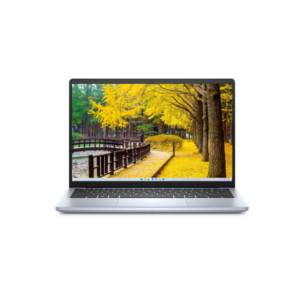
The Dell 14-inch Laptop looks decent at first glance because of the 1920×1200 display, lightweight 1.4 kg body, SSD storage, and Intel processor with boost speeds up to 4.5 GHz. But the entire value of this laptop collapses because of one major issue: 4GB RAM in 2026 is painfully inadequate for Windows 11.
That single specification changes everything. Windows itself already consumes a large chunk of memory before you even open applications. Add Chrome tabs, Spotify, Zoom, Microsoft Office, Canva, WhatsApp, or basic multitasking, and the system will start slowing down quickly. People get fooled by processor speed marketing, but RAM bottlenecks hurt real-world performance more than advertised turbo clocks in daily usage.
The 14-inch 1920×1200 display is actually one of the better parts because the taller 16:10 aspect ratio gives more workspace for productivity compared to standard Full HD 16:9 laptops. The 1.4 kg weight also makes it practical for portability, students, office workers, and travel use. SSD storage ensures booting and app launches remain reasonably fast.
But Dell pairing a modern Intel processor with only 4GB RAM is either cost-cutting or targeting extremely light users. This configuration only makes sense for ultra-basic tasks like browsing, watching videos, online classes, document editing, and email usage. Even then, multitasking will feel limited.
The 256GB SSD is another weak point long term. It’s usable for office work and cloud-focused users, but storage fills faster than people expect once updates, applications, media files, and downloads accumulate.
Battery life around 6 hours is average, not impressive. Don’t expect all-day unplugged productivity.
If the RAM is upgradeable, then this laptop becomes much more reasonable after upgrading to at least 8GB or ideally 16GB. But if the 4GB is soldered permanently, this becomes a bad long-term purchase regardless of the processor speed marketing. Honestly, in 2026, buying a Windows laptop with fixed 4GB RAM is almost guaranteed future frustration unless usage is extremely minimal.
Dell i3 10th Gen Laptop