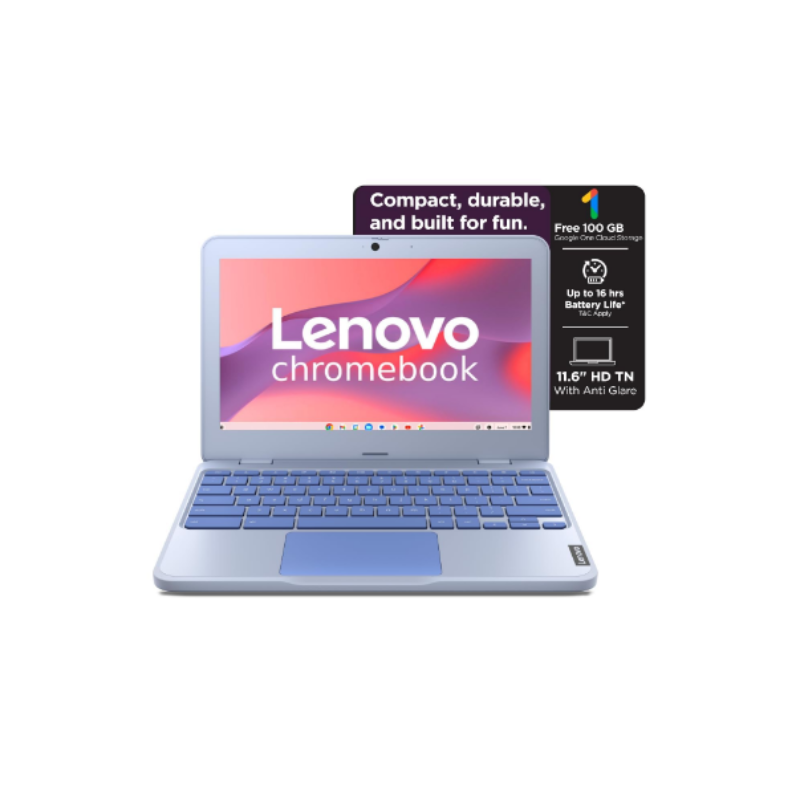
Lenovo Chromebook Intel Celeron N4500 11.6 HD
Available in stock
This Lenovo Chromebook is an entry-level ultra-basic laptop meant for lightweight usage only. The biggest thing you need to understand is that Chrome OS is not Windows. A lot of people buy Chromebooks cheaply and later regret it because they expect normal laptop behavior. This device is mainly built for web browsing, YouTube, online classes, Google Docs, emails, Zoom calls, and very light cloud-based work. That’s it.
The specs are honestly weak by modern standards. A dual-core Intel processor at 1.1 GHz with only 4GB RAM and 64GB storage is extremely limited. Even basic multitasking with many Chrome tabs can slow it down. Forget heavy editing, gaming, advanced software, coding environments, Adobe apps, or professional creative work — this machine is not built for any of that.
The 1366×768 resolution on an 11-inch display is also pretty outdated and cramped. It’s usable, but not enjoyable for long work sessions. However, the lightweight design (1.21 kg) and 12-hour battery life are genuine advantages. This is clearly optimized for portability and battery efficiency rather than power.
The real deciding factor is your workflow. If your entire work happens inside a browser — Google Workspace, Canva basic usage, social media scheduling, email, Notion, YouTube, online meetings — then a Chromebook can actually work fine. But if you depend on Windows software, advanced multitasking, video editing, Photoshop, Premiere Pro, Excel-heavy work, or storage-heavy files, this becomes frustrating very fast.
For students with tight budgets or people needing a secondary travel device, it’s acceptable. For serious long-term productivity, it’s weak and limiting. Most people trying to “save money” with ultra-cheap Chromebooks eventually outgrow them within 1–2 years.