
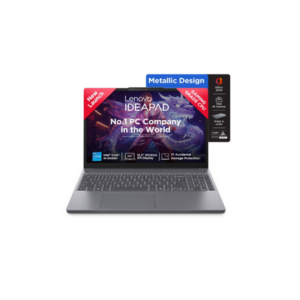
 The Lenovo IdeaPad Slim 3 is a sleek and performance-focused laptop designed for students, professionals, and everyday multitaskers. Powered by the 13th Gen Intel Core i5-13420H processor with speeds up to 4.6 GHz, it delivers fast and efficient performance for productivity, browsing, streaming, and multitasking. It features a large 15.3-inch WUXGA IPS display with a 1920 x 1200 resolution, offering sharp visuals, anti-glare comfort, and wide viewing angles for an immersive viewing experience. Equipped with 16 GB DDR5 RAM and a fast 512 GB NVMe SSD, the laptop ensures smooth responsiveness, quick boot times, and ample storage for files and applications. Its lightweight grey design, backlit keyboard, Full HD webcam with privacy shutter, and modern connectivity options make it a reliable and portable companion for work, study, and entertainment.
Lenovo Ideapad Slim 3 Intel Core I5 13th Gen 13420h
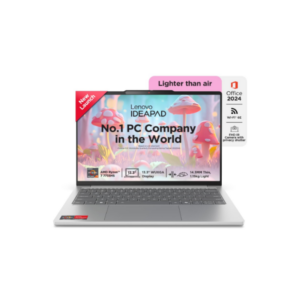

This laptop is actually well-balanced and far better than the cheap “spec-sheet trap” laptops flooding the market. On paper, it targets students, but realistically it’s powerful enough for most professionals, creators, and multitaskers who don’t need dedicated gaming-level graphics.
The biggest strength here is the AMD 8-core, 16-thread processor paired with LPDDR5X RAM and PCIe Gen4 SSD storage. That combination gives genuinely fast real-world performance — quick boot times, smooth multitasking, multiple browser tabs, office work, content consumption, Canva, Figma, light editing, coding, and even moderate creative workloads. Most casual users will never fully utilize this CPU.
The display is another strong point. A 13.3-inch 1920×1200 IPS panel with 100% sRGB and 400 nits brightness is significantly better than the washed-out low-quality screens many brands sneak into budget laptops. If you do social media work, content creation, design-related tasks, or spend long hours staring at the screen, this matters a lot more than flashy processor marketing. The 16:10 aspect ratio also gives more vertical workspace, which genuinely improves productivity.
At just 1.15 kg with a metal chassis, this is clearly designed for portability without feeling cheap. Add Wi-Fi 6E, Dolby Audio, backlit keyboard, IR camera, privacy shutter, rapid charging, and MIL-STD durability, and you’re getting a modern premium ultrabook experience instead of a stripped-down budget machine.
Now the limitation: the RAM is soldered. That means whatever RAM configuration you buy is permanent forever. No upgrades later. So if this comes with only 16GB, that’s fine for most people today and probably enough for the next 4–5 years unless you move into very heavy editing, virtualization, AI workloads, or advanced development. But if there’s an 8GB variant, avoid it completely.
Also, since graphics are integrated, this is not a serious gaming laptop and not ideal for heavy 4K video editing, advanced 3D rendering, or GPU-intensive work. It can handle light creative work, but there’s a ceiling.
Overall, this is the kind of laptop that makes sense for someone who values portability, battery life, display quality, and smooth day-to-day performance instead of blindly chasing gaming specs. If priced reasonably, this is a smart buy.
Lenovo IdeaPad Slim 5 Ryzen
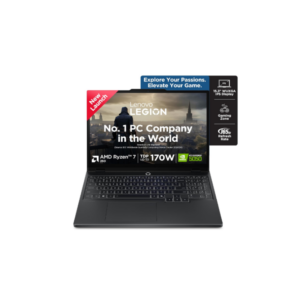
This is clearly a higher-performance laptop compared to regular student or office machines. The moment you see a 16-inch display, NVIDIA GPU, 1TB SSD, and a processor boosting up to 5.1 GHz, you’re no longer looking at a lightweight everyday laptop — this is built for demanding workloads.
The biggest advantage here is the dedicated NVIDIA graphics card. That immediately makes this machine far more capable for video editing, motion graphics, 3D work, gaming, AI tools, rendering, architecture software, and creative applications compared to laptops relying on integrated graphics. If your work involves Adobe Premiere Pro, After Effects, Blender, DaVinci Resolve, or even heavy multitasking with dozens of tabs and apps open, this kind of hardware actually matters.
The 16-inch 1920×1200 display is another practical advantage. The extra vertical space from the 16:10 aspect ratio improves productivity noticeably, especially for editing timelines, spreadsheets, coding, or multitasking. Combined with 16GB RAM and a 1TB SSD, this setup is already in a comfortable range for serious users. You won’t constantly fight storage limitations like on cheap 256GB laptops.
But here’s the reality most people ignore: bigger powerful laptops also come with trade-offs. A 16-inch machine with an NVIDIA GPU is usually heavier, hotter, louder, and has worse battery life than ultrabooks. If someone buys this only for browsing, Office work, Netflix, or basic college usage, it’s overkill and financially dumb. You’d just carry extra weight and waste money on unused performance.
Another thing: “NVIDIA GPU” alone means nothing unless you know the exact GPU model. An RTX 4050 and MX550 are worlds apart. Brands love hiding weak GPUs behind vague marketing because most buyers only look for the word “NVIDIA.” Same with the processor — “5.1 GHz” sounds impressive, but CPU generation and architecture matter more than raw clock speed.
So this laptop makes sense only if you genuinely need performance-heavy capability. For creators, editors, designers, developers, gamers, or power users, this is probably a strong option. For normal daily use, it’s unnecessary bulk and expense.
Lenovo Legion 5 Gaming Laptop
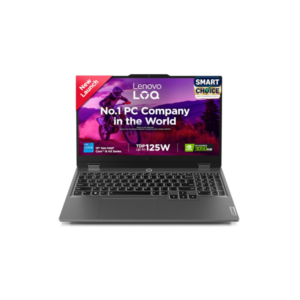 This Lenovo laptop is built for users who need strong performance for gaming, multitasking, and demanding workloads. Powered by an Intel octa-core processor with speeds up to 4.4 GHz and dedicated NVIDIA graphics, it is capable of handling gaming, video editing, content creation, programming, and heavy multitasking smoothly. The 15.6-inch Full HD touchscreen display combined with a fast 144Hz refresh rate delivers sharp visuals and smoother motion, making it ideal for gaming, entertainment, and creative work. With SSD storage, the laptop offers faster boot times and responsive performance, while multiple RAM options ranging from 8GB to 24GB allow users to choose based on their performance needs. The overall design focuses more on power and performance than portability, which is reflected in its 2.4 kg weight. Overall, this laptop is suitable for gamers, creators, students in technical fields, and professionals looking for a high-performance Windows machine with dedicated graphics and a smooth display experience.
Lenovo LOQ 12th Gen Gaming Laptop
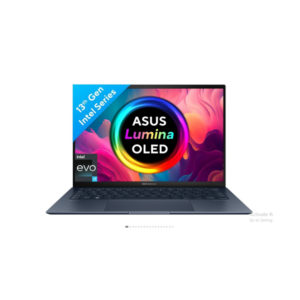
This is basically a direct Windows competitor to the Apple MacBook Air M4 category — ultra-light, premium build, long battery life, and a high-end display-focused productivity machine. And honestly, this is one of the few Windows laptops that actually competes properly instead of pretending to.
The strongest part of this laptop is the balance. A 1 kg weight with a 13.3-inch 2.8K OLED display, Intel Evo certification, Wi-Fi 6E, Thunderbolt 4 support, and a 63Wh battery is genuinely premium ultrabook territory. Most thin Windows laptops compromise somewhere badly — weak battery, dim display, overheating, cheap plastic, or poor speakers. This spec sheet avoids most of those mistakes.
That OLED panel is a major advantage. 550 nits brightness, 100% DCI-P3 color gamut, and 2.8K resolution means the display quality will destroy normal FHD IPS laptops. If you consume content, edit photos, work on design, or spend all day staring at a screen, this matters more than people think. Once you use a good OLED display, cheap LCD panels immediately feel washed out.
The battery life is also realistically strong for Windows standards. Not fake marketing nonsense — a 63Wh battery inside a 1 kg ultrabook with Intel Evo optimization usually performs well in real-world office usage. That’s important because most Windows ultrabooks still lose badly to MacBooks in battery efficiency. This one at least competes seriously.
But there are trade-offs. The biggest one is graphics performance. This is using integrated graphics with shared memory. So despite the premium pricing, this is not a gaming laptop or heavy rendering machine. Video editing is fine. Photoshop is fine. Productivity is excellent. But serious 3D rendering, high-end gaming, AI workloads, or motion graphics work will expose the limitations quickly.
Another issue: RAM appears soldered/on-board with a maximum of 16GB. That’s acceptable today, but not ideal for long-term heavy multitasking. In 2026, 16GB should honestly be considered the minimum for premium laptops, not a luxury feature. Since it’s not upgradeable, what you buy now is what you live with for years.
Microsoft Surface Pro
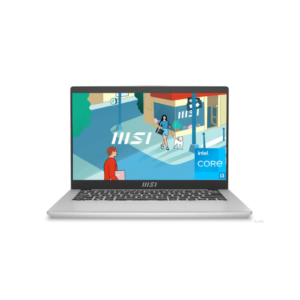
This is a classic thin-and-light productivity laptop, not a performance machine. The specs are balanced for students, office work, browsing, meetings, content consumption, and normal multitasking — but there are clear limitations you shouldn’t ignore.
The strongest part here is portability. At 1.4 kg with a 10-hour claimed battery life, Wi-Fi 6, SSD storage, and an IPS Full HD display, this is built for mobility and daily convenience. The IPS panel is important because cheap laptops still use terrible TN panels with weak viewing angles and washed-out colors. So visually, this should look decent for normal usage.
The processor boosting up to 4.5 GHz means everyday performance will feel responsive for:
- Chrome tabs
- Office work
- Zoom/Meet meetings
- Social media management
- Netflix/YouTube
- Light Canva or Photoshop work
- Coding basics
The problem is memory limitation. The maximum supported RAM is only 8GB and it’s onboard dual-channel RAM, meaning it’s soldered and non-upgradable. That’s the biggest weakness here. In 2026, 8GB is becoming the bare minimum even for casual users because browsers alone eat RAM aggressively. If you multitask heavily with many tabs, Adobe apps, editing tools, or multiple programs open, you’ll feel the ceiling sooner than expected.
Another limitation is the integrated graphics. Shared graphics means this is not for gaming, heavy editing, rendering, or demanding creative workloads. Casual gaming is fine. Serious gaming is not.
The battery size itself — 39.3Wh — is actually not huge. So the “10 hours” claim is likely based on light usage at reduced brightness. Realistically expect:
- 5–7 hours normal use
- Less if brightness is high or multitasking heavily
Also, the 45% NTSC color gamut is average at best. Fine for regular users, weak for professional color work. Content creators who care about accurate colors should avoid this category.
Overall, this type of laptop is good if your priorities are:
- Lightweight
- Affordable
- Daily productivity
- Student/work usage
- Portability
But if you want:
- Long-term future-proofing
- Heavy multitasking
- Gaming
- Editing
- High-end performance
…then the soldered 8GB RAM becomes a bottleneck very quickly.
MSI Modern 14 Laptop
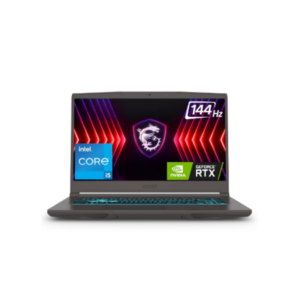
This is clearly a budget-to-midrange gaming laptop setup, not an ultrabook. The important detail here is the dedicated 4GB GDDR6 graphics card — that’s what separates this from normal office laptops. Even though the processor clock starts at 1.5 GHz, modern Intel chips dynamically boost higher under load, so the base clock alone means almost nothing.
The good part is upgradeability. Support for up to 64GB DDR4 RAM is a strong advantage because many thin laptops today lock users into soldered memory. That means this machine can age much better if you upgrade RAM later. The 512GB SSD with PCIe storage is standard and fast enough for gaming, boot times, and multitasking.
But don’t misunderstand the positioning. A 4GB GPU in 2026 is entry-level gaming territory now. It’s enough for esports titles like Valorant, Counter-Strike 2, Grand Theft Auto V, and medium settings in many AAA games. But if you expect ultra settings, ray tracing, or future-proof AAA gaming for years, this will struggle. VRAM limitations hit hard in modern games.
The weight — 1.86 kg — is reasonable for a gaming-oriented machine. Not ultra-light, but portable enough. Battery life will also not be amazing despite the 52.4Wh battery because dedicated GPUs drain power quickly. Gaming laptops are basically “portable desktops,” not true all-day battery devices.
The biggest missing information is the exact GPU and CPU model. That matters massively. Saying “Intel + 4GB GDDR6” is incomplete because performance could vary hugely between something weak like an RTX 2050 and something decent like an RTX 3050/4050. Same with Intel generation. Specs without exact chip names are marketing fluff.
MSI Thin 15 Gaming Laptop
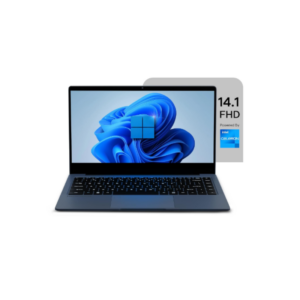 This laptop is a lightweight and budget-oriented device designed mainly for basic everyday computing tasks. It features a 14.1-inch Full HD display that offers decent clarity for watching videos, attending online classes, browsing, and office work. Powered by an Intel processor with speeds up to 2.8 GHz, along with 4GB RAM and 128GB SSD storage, it can comfortably handle light tasks such as web browsing, document editing, presentations, emails, and media consumption. The SSD helps improve boot speed and overall responsiveness compared to traditional hard drives. Weighing only 1.3 kg, the laptop is easy to carry around, making it suitable for students, remote workers, and users who need portability. However, this is not a performance-focused machine, so heavy multitasking, gaming, video editing, or demanding software usage will be limited due to the entry-level hardware and lower RAM capacity.
Neopticon BrowseBook 14.1
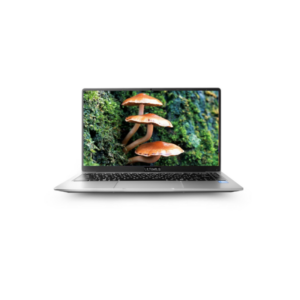 This laptop is designed mainly for basic everyday usage and portability rather than high performance. Powered by the Intel Pentium N4200 quad-core processor with speeds up to 2.8 GHz, it can handle tasks like web browsing, online classes, MS Office work, video streaming, and light multitasking smoothly. The 14-inch HD IPS anti-glare display offers decent viewing angles and comfortable viewing for movies, meetings, and study sessions, while the slim bezels and 180° hinge add a modern touch. With 4GB RAM and 128GB eMMC storage, boot times and basic operations remain reasonably quick, and the option to expand storage up to 1TB SSD is useful for users needing more space later. Weighing only 1.2 kg with up to 8 hours of battery life, the laptop is highly portable and suitable for students, travelers, and users who need a lightweight device for daily tasks. However, this is not a laptop built for gaming, heavy editing, advanced multitasking, or demanding professional workloads, mainly because of the limited RAM and entry-level processor.
Pentium Quad Core Laptop
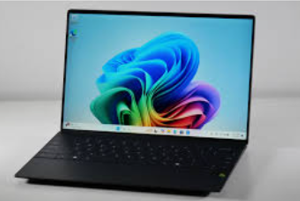
 Premium laptop featuring a stunning near-borderless high-resolution display and a slim black chassis for a modern, high-end computing experience.
Pro-Series 14″ Bezel-Less Windows Laptop

 Precision-engineered silver laptop with a thin side profile, ergonomic keyboard, and multiple USB-C ports for high-speed data transfer.
Professional Silver Slim-Profile Laptop
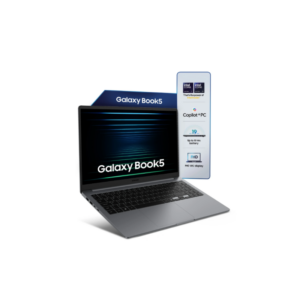 The Samsung Galaxy Book5 is a lightweight and modern laptop built for students, professionals, and everyday multitaskers who want portability without sacrificing screen space. Featuring a large 15.6-inch Full HD IPS display with 300 nits brightness, it offers clear visuals and comfortable viewing for work, streaming, and daily use. Powered by a 10-core Intel processor with turbo speeds up to 5.2 GHz, along with 16 GB LPDDR5X RAM and a fast 512 GB NVMe SSD, the laptop delivers smooth multitasking, quick responsiveness, and efficient performance. Running on Windows 11 Home, it also includes AI-powered Copilot features for enhanced productivity. Its slim aluminum body weighs just 1.55 kg, making it easy to carry anywhere, while the long-lasting battery offers up to 18 hours of usage. Additional features like a backlit keyboard, Dolby Atmos speakers, fingerprint reader, Wi-Fi 6 connectivity, and Full HD webcam make the Galaxy Book5 a well-rounded choice for work, study, entertainment, and everyday computing.
Samsung Galaxy Book5 15.6 Intel Core Ultra 7 Laptop